Add presets, sound effects, clips and transitions instantly to your timeline.
Hold Caps, tap your hotkey — it drops right at your cursor.
BuyHow it works
Put your presets on keys. Hold Caps, press one, and it lands on the clip under your cursor. With Pro, say a preset's name to apply it.
Never edit like this again. (please)
search→drag→wrong one→undo→search→drag→now the transition→now the overlay
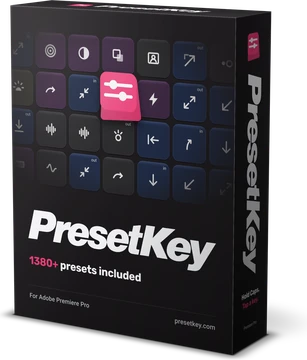
1,380+ Presets Included!
 Compatible with Premiere Pro 2024 or newer on Windows
Pay once, own forever.
Free
- 1 profile you set up yourself
- Hold Caps and hit a key to apply
- Your imported presets
- Audio
- Clips (>60 seconds)
- Images
- Saved sequences
- PresetKey tools
- Generous uses per day
Pro$199$139
7 days free, then $139 once. Card required. You are charged on day 8 unless you cancel before then.
- Everything in Free, plus:
- 1,380+ presets
- Unlimited uses
- Infinite profiles
- Preset Stacks
- Preset Search
- HyperSearch
- Auto-captions
- JumpCut
- Quick+ board
- 2 machines on one key
$139per seat5 more for $119
- 1 machine on one key
- Admin panel
$139 × 5 = $695
FAQ
No. Every PresetKey licence is lifetime. Both options start with 7 days free. Your card is saved at checkout and charged when the 7 days end, and you can cancel before then. Pay $139 once, or split it into 12 monthly payments of $11.59 ($139.08 in all). After the last payment it's yours for good, with nothing more to pay.
From your email. For Free, enter your email on the Free card and your free licence code is emailed to you. For Pro, the code is in the email sent the moment checkout finishes, during the 7 free days too. Paste it into PresetKey when it first opens, or later under Settings. You can also type your email into PresetKey: it sends you a 6-digit sign-in code and links the licence on that address. If you lose the code, presetkey.com/recover emails it again.
Yes. Export a profile as one file — whoever imports it gets your keys, presets, sounds and clips, working immediately.
No. PresetKey only fires while Caps is held, and Caps is the one key Premiere Pro never uses for a shortcut, so nothing can overlap. Your Premiere Pro shortcuts keep working exactly as before.
One keyboard profile you set up yourself: put presets, audio, images and saved sequences on its keys, then hold Caps and hit a key to apply one, with limited uses per day. The count is your own and starts again every day. SlideKeys, the palette and Copy Paste Frame are free too. Preset Stacks, Convert to Shortform, Auto-captions, JumpCut and HyperSearch are Pro.
Not yet. PresetKey runs on Windows with Premiere Pro 2024 or newer. The Mac version is coming.